Access to the wiki pages via members area:
- From this area you’ll be able to access all the accessible wiki Spaces directly by:
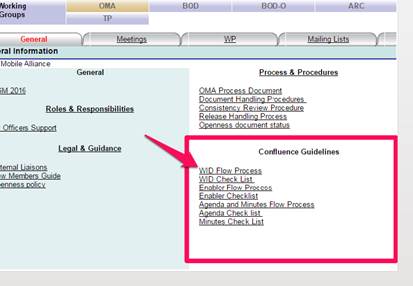
- Clicking Spaces
- Click Space Directory in the drop down menu
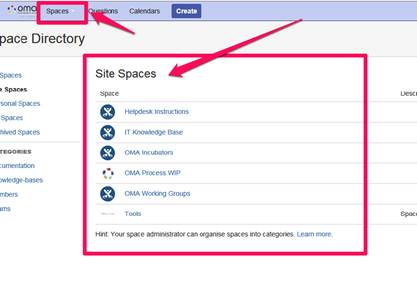
Accessing the wiki pages directly: wiki.openmobilealliance.org/
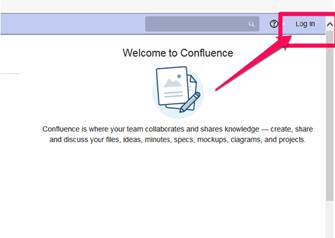
- Click login [Top left hand corner] on the page that opens up
2. Click [Use Corporate Login]
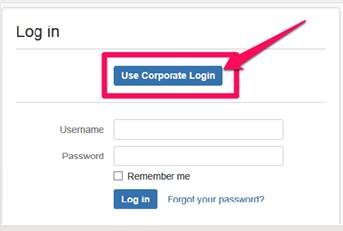
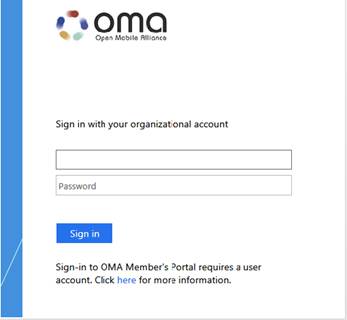
3. In the new screen enter your username and password.
Once you do this for the first time it will set up the SSO for your account.
Attachments:
 wiki pages.jpg (image/jpeg)
wiki pages2.jpg (image/jpeg)
wiki pages3.jpg (image/jpeg)
wiki pages4.jpg (image/jpeg)
wiki pages5.jpg (image/jpeg)
wiki pages.jpg (image/jpeg)
wiki pages2.jpg (image/jpeg)
wiki pages3.jpg (image/jpeg)
wiki pages4.jpg (image/jpeg)
wiki pages5.jpg (image/jpeg)